Thoughts on Statamic CMS
On the search for WordPress alternatives I decided to give Statamic a whirl. The strange name is apparently a portmanteau of Static and Dynamic.
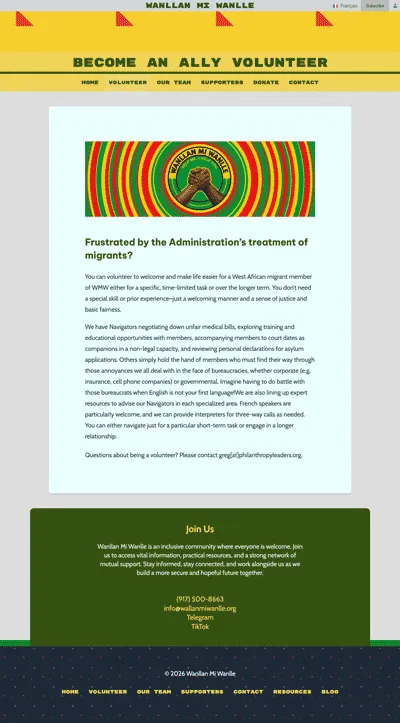
I used it to build wanllanmiwanlle.org, a mutual aid organization for West African immigrants. Now that I’ve been working with it for a few months I can share some impressions.
Environments
Setting up local development was easier than with WordPress. I installed Laravel Herd to manage PHP while Vite runs Tailwind and the server. I used a flat-file database (all content is saved as Markdown files) because it’s a small site. This is great because all deployment can go through Git. No jumping between tools and looking up SQL and rsync params.
On remote I have two accounts: Laravel Forge to manage the environment (Laravel, PHP and the OS), which deploys to a Digital Ocean droplet. It ends up costing about the same as entry-tier managed WordPress hosting. There was more manual configuration than out-of-the-box WordPress - for example you need a seperate SMTP server if you want the CMS to send notifications. This is the kind of stuff you don’t think about in WordPress.
But the payoff is stepping out of WordPress’s blogging legacy and backwards compatibility. That forces it to continue the out-of-date practice of maintaining a giant shared global namespace, and infamously difficult to debug, The Loop. Statamic utilizes modern, auto-loaded PHP in a Model-View-Controller framework. Antlers tags are scoped so an error fails locally instead of taking the whole install down. That also makes Statamic Add-ons inherently safer to install than WordPress plugins.
Localization
Localization was a lot easier in Statamic than in WordPress. In the WordPress systems I’ve used, translations are separate but related posts That gets messy quick because it needs a whole artificial sync layer to keep the posts connected. Statamic treats locales as different views of the same underlying object: The Bludprint is Statamic’s schema for content types. Every locale shares one blueprint so structural changes cascade automatically.
Where WordPress Wins
WordPress was adapted from and developed as a blogging platform. As a general purpose CMS it is hamstrung as much from that history as from its need to be backward compatible with ancient PHP.
Modern CMSs aimed at the same small-to-medium consumer facing websites use a more flexible object-based system: the page being the central object, with typography, layout and media systems layered on.
Wanllanmiwanlle.org was no different, until they requested a blog. With no proper blogging object, it had to be built from scratch as a new collection. It was a fun exercise. Especially implementing comments, which I built almost entirely from native Statamic forms. I spent most of the time adding spam protections like rate limiting, Cloudflare Turnstile and simple moderation.
A few days of work that comes included with WordPress. It’s incredible that after all these years I can still look back on that old workhorse of a CMS with fondness, while glad to have better options for the future.
I also still use WordPress for Petportraits.ink. Combined with ACF I can spin up content and even some functionality almost at the speed of thought. That let’s me try things quickly without building an infrastructure that I’m locked into.
In conclusion I believe Classic WordPress still has it’s place for ease of use and community. I still think that FSE (Full Site Editing) and how blocks are built and coded is too complex for your average user - if you want a full featured, flexible system it’s better to reach for a more modern CMS.